Getting Low Views on YouTube? Fix These 5 Mistakes
Getting low views on YouTube? Learn five mistakes to fix, from keyword research and thumbnails to audience retention, YouTube SEO and analytics.

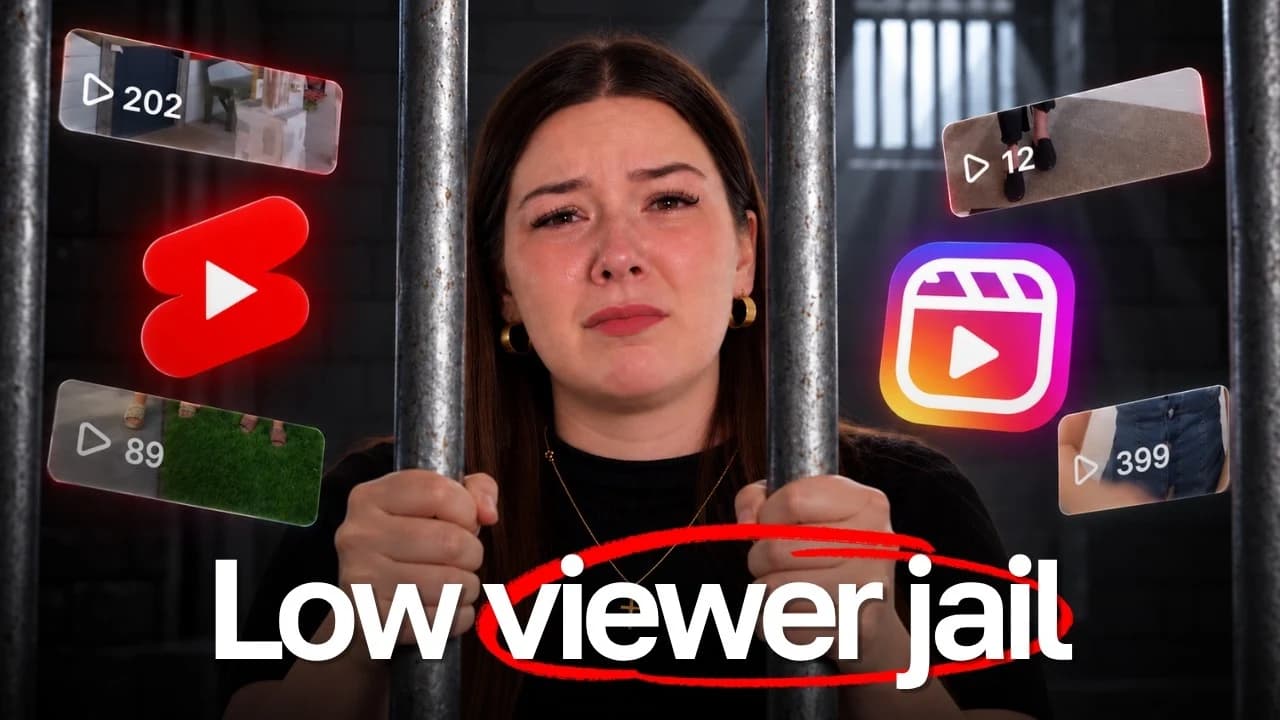
Low YouTube views usually stem from skipping topic validation, weak titles and thumbnails, slow openings that lose viewers, missing descriptions and chapters, or ignoring analytics. Research real buyer questions before filming, craft clear click-worthy packaging, use open loops to hold attention, and review retention and click-through data after publishing.
If your YouTube videos are consistently getting low views, it’s easy to assume that YouTube just isn’t pushing your videos.
However, there’s a lot you can do to improve how your videos perform.
Based on the millions of views we’ve generated for our clients at Madre, I’m going to walk you through five things you need to check before, during and after publishing your YouTube videos.
1. You’re not spending enough time preparing your YouTube videos
You’ve probably not done enough preparation before filming your YouTube video.
Alex Hormozi has spoken about spending a day and a half preparing content for every half a day spent shooting. That’s a 3:1 ratio of preparation versus actually filming.
We see it so many times where you’re spending most of the time in front of the camera, but you don’t actually know what you’re saying.
And riffing it, unfortunately, doesn’t always cut it on YouTube.
Validate your YouTube video idea
Before you write the script, you’re going to want to validate the idea of the video.
This is one of the most important things you need to do. If you don’t know whether there’s an audience for your video idea, you could be putting resources into making something that nobody wants to watch.
Here’s a checklist you can use to validate your idea:
- Who is it for?
- What do they want to know?
- Why should they actually care?
- What value are you going to give them?
By value, I mean what outcome do they get at the end of the video? What’s the transformation you’ve given them?
What have they gone from not knowing to knowing? How can they go from doing something to doing it differently?
Think of that value as being central to your video. It’s also going to help you make sure that your YouTube video isn’t unnecessarily long.
Conduct YouTube keyword research
Once you’ve got an understanding of why you’re making your video, you’re then going to need to validate it against the platform itself.
The first thing you’d want to do is conduct keyword research for YouTube.
Check how many monthly searches the topic you’re looking to create a video around is getting.
Take time to look at your competitors. Check whether or not they’re getting views and engagement from a similar video to the one you want to create.
Another really good way to validate an idea is to look at forums or comments on your other social media platforms.
When multiple people are making the same comment about your product, service or the industry you’re in, that can help validate your idea.
A useful tool for something like this is vidIQ. It allows you to look at estimated monthly searches and the competition around the keyword you might want to go for.
It’s handy to have tools like this that allow you to validate an idea more quickly.
Get your unique perspective into the video
Once you’ve got your video idea and you’ve validated that people actually want to watch it, the next thing you need to do is make sure your unique perspective is inside the video.
Lay out what you guys actually think about this topic.
Rather than copying a competitor or getting ChatGPT to create your script, sit down with your leadership team, sales team, marketing team and customer experience team, and allow them to brainstorm.
What questions typically come up around this topic?
What comments do we usually get from customers?
The more of that we can put into our video, the more value we’re going to give and the better the video is likely to be.
This is a big part of how we approach video strategy and scriptwriting at Madre.
But even with the best idea in the world, none of that matters if nobody clicks on your video.
2. Nobody is clicking on your YouTube videos
The way to get somebody to click on your video is to make sure your packaging is great.
You have your thumbnail, which is the image of the YouTube video, and then you have your title.
Both of these should work together to paint a picture of what somebody can actually get from this video.
What value are you providing?
Create your title and thumbnail before writing your script
When you look at your packaging, you should develop this idea before you develop your script.
This means that whatever concept people are clicking on, you can make sure the script stays true to that.
When you do it the other way around, sometimes the packaging doesn’t quite align with the actual script you’ve created.
It gives you a central focus point of what people are clicking on and why they’re clicking on it. Based on the research you’ve done, it should align with what people actually want to see.
Check your YouTube impressions and click-through rate
Once your video goes live, the way to understand whether or not your packaging has been successful is to look at your impressions and click-through rate (CTR).
|
Metric |
What it tells you |
|---|---|
|
Impressions |
How many times your thumbnail has been shown in counted locations across YouTube. |
|
Click-through rate |
How often those impressions have resulted in somebody watching your video. |
If YouTube is showing the video to people but they aren’t clicking through at a high enough rate, then your packaging could be part of the problem.
You also need to consider where those impressions are coming from and who your video is being shown to.
YouTube explains more about this in its impressions and click-through rate guide.
Make your title and thumbnail work together
A good practice with your title and thumbnail is to make the purpose of the video clear based on those two things.
They should work together without repeating each other.
The title could explain what the video is about, and then in the thumbnail, you can reaffirm a common objection, problem or statement that aligns with what your customer is trying to solve.
Once somebody clicks on the video, you’re going to want to reaffirm that packaging within the first few seconds.
You’re basically confirming to the customer:
Yeah, OK, what I’ve just clicked on is what I wanted to see.
Good packaging gets more of the people you want to view your video to actually click on it.
But getting clicks is only the first job. You then need to get them to keep watching.
3. Your YouTube videos aren’t retaining your audience
Once someone clicks on your video, the next thing you have to do is try to make them stay for as long as possible.
YouTube considers watch time and how viewers engage with your content when deciding whether to recommend it to more people.
The easy way to think about how you want to keep people watching is in loops.
Use open loops to improve audience retention
Your script should have one big open loop.
Essentially, if I watch all the way to the end, what am I going to learn or achieve?
From there, it should have many mini loops.
The way we like to think about it is that you set up a section with a statement, you run through the tension, and then you talk about the payoff whilst simultaneously opening the next loop for the next section.
|
Element |
Purpose |
|---|---|
|
Statement |
Introduce the topic or problem you’re going to address. |
|
Tension |
Give the viewer a reason to want to know the answer. |
|
Payoff |
Deliver the answer or outcome you promised. |
|
Next loop |
Give them a reason to keep watching the next section. |
This gives your script a structure that helps keep your audience engaged throughout the video.
Analyse your YouTube audience retention graph
Once the video is live, you can go into your YouTube Analytics and assess whether or not people actually stayed.
The way you do this is through your audience retention graph.
A retention graph allows you to see where viewers dropped off, where they might have skipped or rewatched a section, and whether there’s a steady decline throughout the video.
|
Retention graph behaviour |
What it could mean |
|---|---|
|
Relatively flat line |
Viewers are staying engaged throughout that section. |
|
Gradual decline |
Viewers are naturally dropping off over time. |
|
Sudden dip |
Viewers may be skipping a section or leaving the video. |
|
Spike |
Viewers may be rewatching or sharing a particular section. |
The aim is to get that line as consistent as possible, all the way to the end.
You can find out more about how to interpret these graphs in YouTube’s audience retention guide.
Now you’re getting the click, and you’re making sure you’re giving people a reason to watch all the way to the end.
But there’s still more you can do before you publish your video.
4. You’re not optimising your videos for YouTube SEO
Before you actually hit publish on your video, you need to make sure it’s set up properly.
This has made a noticeable difference for us at Madre.
It’s one of the things that helped us launch a fresh YouTube channel that generated over 200,000 views within the first month.
This optimisation is typically called YouTube SEO.
I won’t go too deep into that subject because it’s a bit of a wormhole, but here are the important things you need to know.
Optimise your YouTube video description
You need to set up your video description using language your customer might actually search for.
We want to make sure those words are naturally included within our video description.
Think back to the research we did in section one and make sure the description aligns with the questions your customers are asking and the topics your video covers.
Add chapters to your YouTube videos
Another thing you can do is add chapters to your video so people know where they are at each point.
You can add these timestamps and chapter titles to your video description. You can also include a timestamp guide in your pinned comment.
It allows people to navigate the video and understand where they are within a given section.
YouTube has a guide on how to add video chapters.
Add your video to a relevant playlist
Another good idea is to make sure your video is in a relevant playlist.
This helps organise your content so somebody interested in a particular topic can easily find other related videos on your channel.
Don’t get too caught up in YouTube tags
Finally, don’t get too caught up in the tags element.
Make sure your title, thumbnail and description all align with the research we did in section one.
Even YouTube’s own guidance on tags explains that titles, thumbnails and descriptions are more important for video discovery.
Again, using tools like vidIQ will allow you to see how they score your title and description.
But make sure you also use common sense because sometimes these AI-generated descriptions could be a lot worse than what you would have done yourself.
You’ve now given yourself a better chance of being discovered through YouTube search.
But publishing the video isn’t where the process ends.
5. You’re not learning from your YouTube Analytics
Every single video you publish should make the next one even better.
To do this, we need to take a look at our analytics.
Here’s a quick list of what you can look at:
- Impressions
- Click-through rate
- Audience retention
- Traffic sources
- Comments
Respond to your audience once you’ve published the video, and make sure you take note of what they’re actually asking so that you can inform your next video topics.
Get your YouTube videos to feed into each other
This is a very common thing we do with all of our clients at Madre.
We want our videos to feed into each other so that one video can knock on views into the next.
The way we do this is to plan the end screen.
The end screen of your video allows you to suggest the next video to your audience after they’ve watched the one they’re currently on.
If we’ve worked really well on our retention, we should have more viewers reaching the end of that video.
How one video helped another generate over 100,000 views
For our client Veloris, we had a video that started out getting a lot of traction. It was racking up tens of thousands of views.
But what we realised was that another video we’d published at the same time, which we’d linked to the first, wasn’t initially getting as many views.
Until it absolutely took off.
It ended up getting over 100,000 views. People who watched the first video moved onto the next, and we saw the second video start getting much more traction on YouTube.
This is why we want to think about how each video fits into the channel as a whole.
Launch a YouTube channel with three connected videos
Here’s another little tip.
When you’re launching your YouTube channel, consider launching a few videos at the same time that all link to each other.
For us, three seems to be the sweet spot.
We publish all three videos on the same day and make sure their end screens move viewers from one video to another.
That gives somebody who’s discovered your channel more relevant content to watch straight away.
When we look at our analytics, every video gives us much more data.
It’s going to give us more insight into what worked, what didn’t work and what moves viewers into the next video.
And that’s really the point.
We’re trying to create a channel that overall gives our customers, prospects and viewers value, so that they see our business as one they’d like to deal with.
YouTube video publishing checklist
Here’s a recap of the five things you should be checking before, during and after publishing your YouTube videos.
|
Stage |
What to check |
|---|---|
|
Preparation |
Have you validated the video idea and included your unique perspective? |
|
Packaging |
Do your title and thumbnail work together to give somebody a reason to click? |
|
Scripting |
Have you created open loops, delivered value and given viewers a reason to keep watching? |
|
Optimisation |
Does your description align with your keyword research, and have you added chapters and relevant playlists? |
|
Analysis |
Have you reviewed your performance, responded to comments and linked the video to other relevant content? |
Working through these five things with every video gives you a process for continually improving your YouTube channel.
Frequently asked questions
Why do B2B YouTube channels often get low views at the start?
Low views often come from choosing topics without validating demand, using titles and thumbnails that fail to earn clicks, or losing viewers during the opening. Missing descriptions and chapters can also affect discovery. Each video should lead viewers towards related videos or playlists to give them a reason to keep watching.
Do YouTube tags still help videos get more views?
Don’t get too caught up in the tags element. Even YouTube’s own guidance on tags explains that titles, thumbnails and descriptions are more important for video discovery. Spend that time on preparation instead: research your topic, check whether competitors are getting views on a similar video and get your packaging right.
How do B2B aftermarket brands turn YouTube views into commercial enquiries?
Give each YouTube video a clear role in your wider marketing strategy. Use social distribution posts to reach relevant buyers, include targeted lead magnets in video descriptions and link related videos through end screens and playlists. Give interested garage buyers and distributors a clear route to your website to make an enquiry.
How to turn your YouTube views into revenue
YouTube fits into a wider marketing strategy.
Using things like distribution posts and lead magnets can help you generate more revenue through YouTube by getting more of the right people to watch your videos and giving them a way to take the next step.
If you want to understand how we approach this at Madre, I’ve created a full video on how we use distribution posts to increase YouTube views.
I’ve also created a video walking through our exact social media marketing plan from start to finish, with a free workbook so you can follow along and create your own marketing plan.
If you’re an automotive aftermarket brand looking to attract more customers through YouTube, you can explore our automotive video marketing services or get in touch with us at Madre.

Work with Madre
Where could your digital marketing work harder?
Book your free V8 Digital Audit and we will show you where your social, search, site and sales can work harder for your aftermarket brand.
Book your free V8 Digital Audit